Teilen Sie Ihre Erfahrunge und Wünsche mit uns und anderen Usern!
Teilen Sie Ihre Erfahrunge und Wünsche mit uns und anderen Usern!

 How to install
Hello ,
I just buy Game4automation pro and conveyor but i can´t install .
My instalation fail . I try to follow the manual but without sucess.
According the manual new menu should appears but on my case it dont appears :
https://game4automation.com/documentation/current/installation.html#Check-if-a-new-menu-is-available
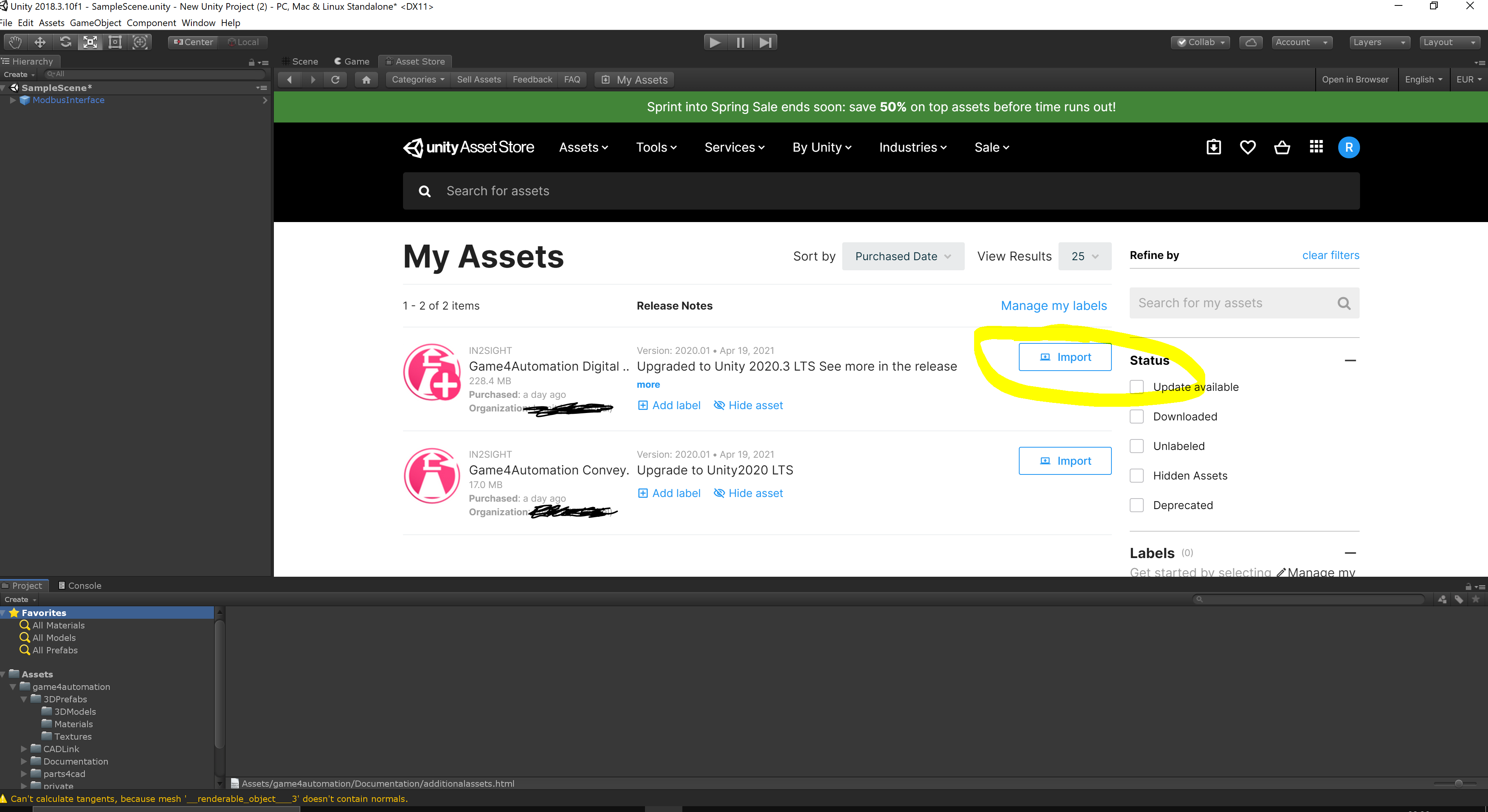
I can import the package from the store but not like the same procedure that is on the manual .
I just press on the bottom import on the store.

You should have any kind of error in the console log which should point you in the right direction.
Please always check and send us the log in case of problems.

Sorry I can't read the question. But Hololens 2 is not supported.
Please check https://game4automation.com/documentation/current/opcua.html for more information about what platforms are currently supported.

 json parse error
Hi Thomas,
when I want to add other assemblies in game4automation.base.asmdef I get a json parse error. The problem is that there is a missing [, at the end of references.
The last time the error is coming up very often, so that i ask you to fix it.
The problem is that after adding the missing characters the file is resetted an the characters are still missing.
Best regards

The VR Environment is only included in the Game4Automation Professional. But i have the Professional version.
Hi,
after activating the VR environment in the demo scene i got the following message:
The VR Environment is only included in the Game4Automation Professional.
I'm owner of an Professional version. What can i do?

Share-Space for custom Behavior Scripts
Hi,
is it possible to implement some kind of share space into the forum or website, where users can upload their custom made scripts to extend the functionality of the implemented behavior scripts?
Refresh Groups in Selection Window
Hey Thomas,
in the Selection Window I see all groups I defined. If I create a Group with a new name, I have to hit the play button to refresh the list. After that I can add more GameObjects by hitting the plus-Button.
Can you add a Refresh Button for the group list, so that I will not have to hit play every time I create a new group?
Best regards

OPCUA and custom types
Hi,
I'm currently learning how to use game4Automation for a project and I'd like to read custom data types from the OPCUA server.
In the demonstration server, there is a Work Order variable (ns2, s=Demo.WorkOrder.WorkOrderVariable) which contains a StatusComments array recognized as an ExtensionMethod by game4automation. This array can be read as a byte[] array, but is there any better way to do this? It is pretty messy and not easy at all to work with.
Thanks for your answer!
Hi, I just checked your problem.
Currently I don't see an easy solution.
You might check out the solutions of Traeger which gives you a more advanced access to OPCUA via C# (see https://docs.traeger.de/en/software/sdk/opc-ua/net/client.development.guide).
If you want to switch to the solution of Trager we can refund you the money if you would like.

 Import von .STEP mit UTF-16 codierung fehler
Ich bekomme einen Fehler wenn ich versuche eine .STEP Datei mit UTF-16 Encoding zu öffnen. Ist das ein Fehler im Coding oder wird UTF-16 nicht supported?
Leider kann ich die STEP Datei nicht mitschicken, da diese rechtlich geschützt ist.
Hier die Fehlermeldung:
Error: UTF-16 to UTF-8 conversion failed because the input string is invalid
UnityEngine.Object:set_name (string)
cadex.UnityModelWG_ProductStructureConverter:SetName (UnityEngine.GameObject,cadex.ModelData_SceneGraphElement)
cadex.UnityModelWG_ProductStructureConverter:Visit (UnityEngine.GameObject,cadex.ModelData_SceneGraphElement,bool)
cadex.UnityModelWG_ProductStructureConverter:Apply (cadex.ModelData_Part)
cadex.ModelData_Part:Accept (cadex.ModelData_Model/ElementVisitor)
cadex.ModelData_SceneGraphElement:Accept (cadex.ModelData_Model/ElementVisitor)
cadex.ModelData_Instance:Accept (cadex.ModelData_Model/ElementVisitor)
cadex.ModelData_SceneGraphElement:Accept (cadex.ModelData_Model/ElementVisitor)
cadex.ModelData_Assembly:Accept (cadex.ModelData_Model/ElementVisitor)
cadex.ModelData_SceneGraphElement:Accept (cadex.ModelData_Model/ElementVisitor)
cadex.ModelData_Instance:Accept (cadex.ModelData_Model/ElementVisitor)
cadex.ModelData_SceneGraphElement:Accept (cadex.ModelData_Model/ElementVisitor)
cadex.ModelData_Assembly:Accept (cadex.ModelData_Model/ElementVisitor)
cadex.ModelData_SceneGraphElement:Accept (cadex.ModelData_Model/ElementVisitor)
cadex.ModelData_Model:Accept (cadex.ModelData_Model/ElementVisitor)
cadex.UnityModelWG_ModelConverter:Convert (cadex.ModelData_Model)
cadex.Unity_ObjectFactoryImpl:Perform (cadex.ModelData_Model,string)
cadex.Unity_ObjectFactory:Create (cadex.ModelData_Model,string)
cadimport:ImportCadData (string,bool,string,single,single,single)
game4automation.CADLink:ImportCadData () (at Assets/game4automation/CADLink/private/CADLink.cs:354)
game4automation.CADLink:ImportCad () (at Assets/game4automation/CADLink/private/CADLink.cs:182)
System.Reflection.MethodBase:Invoke (object,object[])
game4automationtools.Editor.NaughtyEditorGUI:Button (UnityEngine.Object,System.Reflection.MethodInfo) (at Assets/game4automation/CADLink/private/NaughtyAttributes/Scripts/Editor/Utility/NaughtyEditorGUI.cs:179)
game4automationtools.Editor.NaughtyInspector:DrawButtons (bool) (at Assets/game4automation/CADLink/private/NaughtyAttributes/Scripts/Editor/NaughtyInspector.cs:188)
game4automationtools.Editor.NaughtyInspector:OnInspectorGUI () (at Assets/game4automation/CADLink/private/NaughtyAttributes/Scripts/Editor/NaughtyInspector.cs:52)
UnityEngine.GUIUtility:ProcessEvent (int,intptr,bool&)


Unable to Create New Material Mapping
So I can import a 3MF file created with SolidWorks; however, the result import in Unity appears as a bright violet version of the object. I also just tried manually importing the toy car sample 3MF and the colors were transferred properly. This leads me to believe I need to define a material mapping which I am unable to do within the CADLNK Unity asset features.
I am trying to follow the instructions here https://game4automation.com/documentation/current/cadlink.html#3MF-Import-Settings and see if designing my own material mapping will resolve the issue. However, when I click on the "Create New Material Mapping" button I get the following error
IndexOutOfRangeException: Index was outside the bounds of the array.
game4automation.CADLink.CreateAsset[T] () (at Assets/game4automation/CADLink/private/CADLink.cs:750)
game4automation.CADLink.CreateMeaterialMapping () (at Assets/game4automation/CADLink/private/CADLink.cs:86)
The line of problem is
var find = AssetDatabase.FindAssets("StandardMaterialMapping t:ScriptableObject");
string path = AssetDatabase.GUIDToAssetPath(find[0]);
I'm guessing the issue is that when I import the CADLINK asset the "StandardMaterialMapping" is not included. I am struggling to find any further documents outlining the details of what a material map looks like. Is there no default option which just takes the color defined in the 3MF file and uses that to create the unity material? I thought that would be the default and was the main appeal of asset.
Please let me know if there is something I am doing incorrectly, because I'm looking through all the available documentation and other forum responses to try and figure out what is going on.
Senden Sie uns Ihr Feedback
Wir hören zu und setzen Ihre Ideen um.


Pink Module